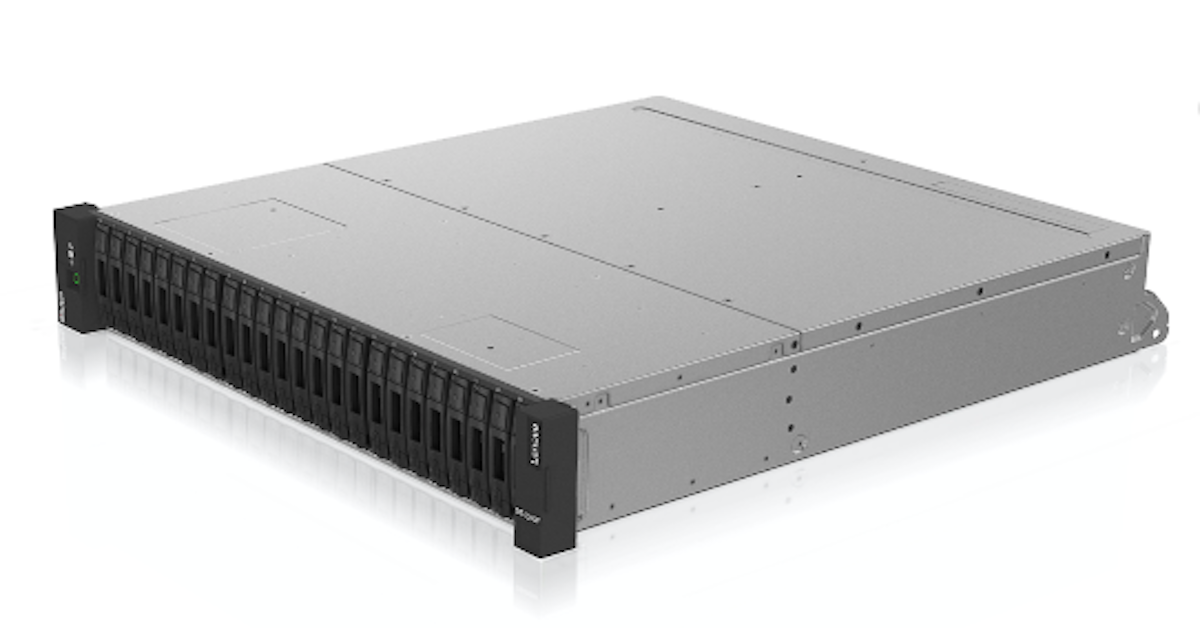
This solution brief explains that Veeam and Lenovo have designed a solution that enables businesses to manage large data volumes and handle the increasing performance and availability demands of a 21st-century infrastructure. Please contact expoIT, LLC for more information about Veeam Backup & Replication™ plus Lenovo ThinkSystem DE Series storage.
What is the Lenovo ThinkSystem DE Series 3D Interactive Tour?
The 3D Interactive Tour is an online, visual way to explore the Lenovo ThinkSystem DE Series All Flash Storage Array. Instead of reading only specs or looking at static images, you can view the storage array as a 3D model and see how its components fit together.
Through the tour, you can:
- See the main hardware components of the DE Series all flash storage array.
- Learn about many of its key features in context, directly on the model.
- Use different predefined views to focus on specific parts of the system.
This format helps teams reimagine how they evaluate infrastructure by making it easier to understand the physical layout and design of the storage platform before deployment.
How do I navigate and control the 3D model?
The tour is designed to be simple to use with either a mouse or a touch screen. You can:
- Rotate the model: Use the left mouse button or a one-finger touch.
- Pan / move the model: Use the right mouse button or a two-finger touch.
- Zoom in and out: Use the mouse wheel or a pinch gesture.
On the left side of the page, there is a menu that lets you:
- Select different features and views of the storage array.
- Click “Play All” to automatically cycle through all available views.
These controls make it easier for technical teams, sellers, and customers to walk through the system at their own pace and focus on the details that matter most.
How does the 3D tour fit into Lenovo’s broader storage portfolio?
The ThinkSystem DE Series All Flash Storage Array is part of Lenovo’s broader data storage portfolio, which includes:
- ThinkSystem DB Series, DE Series, DG Series, DM Series, DS Series
- SAN storage and direct-attached storage
- Software-defined storage options
- Fibre Channel switches, tape backup units, drives, autoloaders, and libraries
The 3D tour helps teams rethink how they evaluate and compare these options by giving a clear, visual understanding of the DE Series hardware. It complements related resources such as:
- Portfolio guides and catalogs
- OS support information (for platforms like Microsoft Windows, VMware vSphere, Red Hat Enterprise Linux, and SUSE Linux Enterprise Server)
- Seller training courses and solution guides across areas like hybrid AI, big data analytics, cloud virtualization, and databases
By combining the 3D tour with these materials, organizations can more confidently align the DE Series with their broader infrastructure and application strategy.




 Sign in with LinkedIn